
Build End-to-End Development Skills with Python Full Stack

The demand for full stack developers is rapidly growing across industries. Our Python full stack course in Noida with placement equips you with both frontend and backend development skills needed to build complete web applications.

This program is ideal for those who want to become job-ready developers with practical experience.

What Makes This Full Stack Python Training Unique?

Unlike basic courses, our training focuses on complete development expertise. You will learn how to design, develop, and deploy applications. Key highlights include:

  • Real-time project development
  • Industry-relevant curriculum
  • Dedicated placement support
  • Experienced trainers

Our full stack Python developer training in Noida ensures you gain confidence in handling real projects.

Complete Curriculum Designed for Job Readiness

This course covers both frontend and backend technologies.


Frontend Development

  • HTML, CSS, JavaScript
  • Responsive design
  • UI/UX basics

Backend with Python

  • Django or Flask framework
  • Database integration
  • API development

Database and Deployment

  • SQL basics
  • Hosting and deployment
  • Version control with Git

Work on Live Projects

Practical experience is a major focus of this program. You will build projects like:

  • E-commerce websites
  • Blogging platforms
  • Dynamic web applications

These projects strengthen your portfolio and improve job opportunities.

Best Python Full Stack Institute in Noida

We are recognized as one of the best Python full stack institutes in Noida because of our student-focused training approach. We ensure:

  • Interactive sessions
  • One-on-one mentorship
  • Continuous assessment

This helps students learn faster and perform better in interviews.

Python Full Stack Course Fees in Noida

Our course pricing is designed to be affordable without compromising quality.

  • Flexible payment options
  • Easy EMI plans
  • Transparent fee structure

The Python full stack course fees in Noida are competitive and offer excellent value.

Career Opportunities after This Course

After completing the course, you can apply for roles such as:

  • Full Stack Developer
  • Web Developer
  • Backend Developer

With strong placement support, students can confidently enter the job market.

Who Should Enroll?

This course is suitable for:

  • Beginners interested in web development
  • Students pursuing technical education
  • Professionals looking to upgrade skills

No prior coding experience is required.

Certification and Placement Support

You will receive certification upon completion. Our placement team helps you prepare through:

  • Resume building
  • Mock interviews
  • Job referrals

This makes our Python full stack course in Noida with placement highly valuable.
Python Fullstack Course Syllabus

  • Why do we need Python?
  • Environment Setup
  • Python Installation
  • Execution Types
  • What is an interpreter?
  • Interpreters vs Compilers
  • Using the Python Interpreter
  • Interactive Mode
  • Running python files
  • Working with Python shell
  • Integrated Development Environments (IDES)
  • Interactive Mode Programming
  • Script Mode Programming

Basic Operators in Python

  • Types of Operator
  • Python Arithmetic Operators
  • Python Comparison Operators
  • Python Assignment Operators
  • Python Bitwise Operators
  • Python Logical Operators
  • Python Membership Operators
  • Python Identity Operators
  • Python Operators Precedence

Basic Concepts

  • Data Types
  • Variables
  • Assigning Values to Variables
  • Multiple Assignment
  • Python Numbers
  • Python Strings
  • Accessing Values in Strings
  • String Special Operators
  • String Formatting Operator
  • Triple Quotes
  • Builtin String Operations
  • Python Lists
  • Accessing Values in Lists
  • Updating Lists
  • Delete List Elements
  • Basic List Operations
  • Indexing, Slicing, and Matrixes
  • Builtin List Functions & Methods
  • Python Tuples
  • Accessing Values in Tuples
  • Updating Tuples
  • Delete Tuple Elements
  • Basic Tuples Operations
  • Indexing, Slicing, and Matrixes
  • No Enclosing Delimiters
  • Builtin Tuple Functions
  • Python Dictionary
  • Accessing Values in Dictionary
  • Updating Dictionary
  • Delete Dictionary Elements
  • Properties of Dictionary Keys
  • Builtin Dictionary Functions & Methods

Loops and Decision Making

  • if statements
  • else statements
  • nested if statements
  • while loop
  • for loop
  • nested loops

Loop Control Statements

  • break statement
  • continue statement
  • pass statement

Functions

  • Defining a Function
  • Syntax
  • Calling a Function
  • Pass by reference vs value
  • Function Arguments
  • Required arguments
  • Keyword arguments
  • Default arguments
  • Variablelength arguments
  • The return Statement
  • Scope of Variables

Global vs. Local variables

  • Global vs. Local variables
  • Os module
  • mkdir()
  • chdir()
  • getcwd()
  • rmdir()
  • listdir()
  • Math module and functions
  • Constants
  • Trigonometry
  • Logarithmic
  • Representation
  • Random module and functions
  • random()
  • randint()
  • randrange()
  • choice()
  • shuffle()

Python Modules and Packages

Framework vs Packages

  • Folium Introduction
  • Why are modules used?
  • Creating modules
  • The import Statement
  • The from...import Statement
  • Locating Modules
  • The PYTHONPATH Variabl
  • Namespaces and Scoping
  • The dir() Function
  • The globals() and locals() Functions
  • The reload() Function
  • Packages in Python
  • Constructing user defined packages
  • Importing user defined packages

Basic OOPs Concept

  • Creating class in Python
  • Private Identifier
  • Constructor
  • Destructor
  • Inheritance
  • Polymorphism
  • Encapsulation
  • Abstraction

Decorator, Iterator and Generator Anonymous

Function

  • Lambda
  • Map
  • Filter
  • Reduce

File Manipulation

  • Opening Text File
  • The open function
  • File modes
  • The file object attributes
  • close() method
  • write() method
  • read() method
  • Files: Input
  • Files: Output
  • Reading files
  • Renaming & deleting files
  • Writing into a file
  • remove() method

Python GUI

  • Basic Operations using Tkinter
  • Buttons and Textbox
  • Menu Bar
  • Message Box and Radio Button
  • Checkbox and Event Creating
  • Creating Application in GUI
  • SQL and Python
  • Overview of MySql
  • Integrating Python with MySql
  • Project Demonstration Tkinter
  • Project Demonstration Tkinter

Other Concepts

  • Errors and Exception Handling
  • Standard exceptions
  • Assertions in Python
  • The assert Statement
  • What is Exception?
  • Handling an exception
  • Syntax
  • The except Clause with No Exceptions
  • The except Clause with Multiple Exceptions
  • The tryfinally Clause
  • Argument of an Exception
  • Example with Tkinter Application
  • Regular Expression
  • Advanced Concept Overviews
  • Basics of Pandas and Numpy
  • How to use Anaconda
  • How to create dashboard
  • Overview of Django
  • Django Course Syllabus

SECTION I

1. Introduction to Django

  • What Is a Web Framework?
  • The MVC Design Pattern
  • Django’s History

2. Installation of Django

  • Installing Python
  • Installing Django
  • Setting Up a Database
  • Starting a Project
  • The Development Server
  • Django Commands Overview

3. The Basics of Dynamic Web Pages

  • Your First View: Dynamic Content
  • Mapping URLs to Views
  • How Django Processes a Request
  • URL configurations and Loose Coupling
  • 404 Errors
  • Your Second View: Dynamic URLs
  • A Word About Pretty URLs
  • Wildcard URL patterns
  • Django's Pretty Error Pages

4. The Django Template System

  • Template System Basics
  • Using the Template System
  • Creating Template Objects
  • Rendering a Template
  • Multiple Contexts, Same Template
  • Context Variable Lookup
  • Playing with Context Objects
  • Basic Template Tags and Filters Tags
  • Philosophies and Limitations
  • Using Templates in Views
  • Template Loading
  • Render_to_response()
  • The locals() Trick
  • Subdirectories in get_template()
  • The include Template Tag
  • Template Inheritance

5. Interacting with a Database: Models

  • The "Dumb" Way to Do Database Queries in Views
  • The MTV Development Pattern
  • Configuring the Database
  • Your First App
  • Defining Models in Python
  • Your First Model
  • Installing the Model
  • Basic Data Access
  • Adding Model String Representations
  • Inserting and Updating Data
  • Selecting Objects
  • Filtering Data
  • Retrieving Single Objects
  • Ordering Data
  • Chaining Lookups
  • Slicing Data
  • Deleting Objects
  • Making Changes to a Database Schema
  • Adding Fields
  • Removing Fields
  • Removing Many to Many Fields
  • Removing Models

6. The Django Administration Site

  • Activating the Admin Interface
  • Using the Admin Interface
  • Users, Groups and Permissions
  • Customizing the Admin Interface
  • Customizing the Admin Interface’s Look and Feel
  • Customizing the Admin Index Page
  • When and Why to Use the Admin Interface

SECTION II

7. Form Processing

  • Search
  • The "Perfect Form"
  • Creating a Feedback Form
  • Processing the Submission
  • Custom Validation Rules
  • A Custom Look and Feel
  • Creating Forms from Models

8. Advanced Views and URL configurations

  • URL configuration Tricks
  • Streamlining Function Imports
  • Using Multiple View Prefixes
  • SpecialCasing URLs in Debug Mode
  • Using Named Groups
  • Understanding the Matching/Grouping Algorithm
  • Passing Extra Options to View Functions
  • Using Default View Arguments
  • SpecialCasing Views
  • Capturing Text in URLs
  • Determining What the URL configuration Searches Against
  • Including Other URL configurations
  • How Captured Parameters Work with include()
  • How Extra URL configuration Options Work with include()
  • Section II: Django Sub Framework

9. Generic Views

  • Using Generic Views
  • Generic Views of Objects
  • Extending Generic Views
  • Making "Friendly" Template Contexts
  • Complex Filtering with Wrapper Functions
  • Performing Extra Work

10. Extending the Template Engine

  • Template Language Review
  • Request Context and Context Processors
  • django.core.context_processors.auth
  • django.core.context_processors.request
  • Guidelines for Writing Your Own Context Processors
  • Inside Template Loading
  • Extending the Template System
  • Creating a Template Library
  • Writing Custom Template Filters
  • Writing Custom Template Tags

11. Users and Registration

  • Cookies
  • Getting and Setting Cookies
  • The Mixed Blessing of Cookies
  • Setting Test Cookies
  • Users and Authentication
  • Enabling Authentication Support
  • Using Users
  • Logging In and Out
  • Limiting Access to Logged-in Users
  • Managing Users, Permissions and Groups
  • Using Authentication Data
  • Permissions
  • Groups
  • Messages
  • Profiles

12. Core Steps for Building a Django API

  • Set Up the Environment
  • Configure Project Settings
  • Define Models
  • Creating Serializers
  • Define Views
  • Set Up URLs
  • Test the API using Postman
Youtube Thumbnail

Helpful Frequently Asked Questions (FAQs)

Do I need prior programming knowledge?+
What frameworks are covered?+
Is placement assistance included?+
What is the course duration?+
Are live projects included?+
What are the course fees?+

Discover Your Ideal Course Now!

Take the next step in your career with the right choice. Explore our industry focused courses, learn practical skills, and get closer to your dream job with expert guidance and real projects.

Register Now

Trusted by Companies, Proven by Placements

Join thousands of students who’ve launched successful careers with top employers.


Hear from Our Successful Students

Our students turned dreams into achievements! From first steps to big wins, their journeys inspire confidence, growth, and success. Hear how dedication and guidance made it all possible.


loader

Start Learning With CodeSquadz

Download Our App

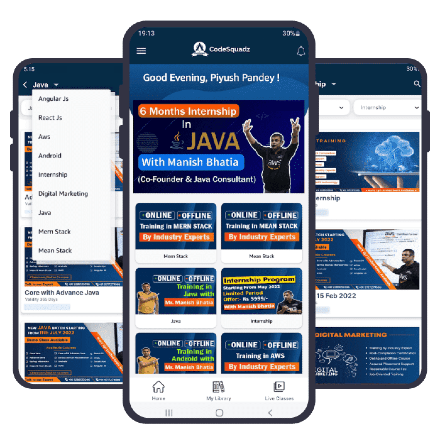
The more you explore, the more you enhance your skills and head towards a successful IT career. Go and download our Android / Windows app and access our lessons to practice and interactive quizzes; this application provides an effective way to learn and sharpen your IT skills to advance your career.

app-edu-android-app app-edu-windows-app
codesquadz-app